4. Active Data Management
Table of Contents
Timing
It will take approximately 15 minutes to read and explore this section. The time required to answer the data management plan question will vary.
Now that we know what we’re going to collect and how we’re going to stay on the same page and organize it, we can think about active data management. This includes where data will be stored, how it will be backed up to prevent data loss, and who will have access to it.
Write Plan: Active Data Management
Write Plan: Responsibility
Go to DMP Assistant to the “Write Plan” tab. Open “Plan Questions” and fill out the fourth question “How will data be stored, accessed, and worked with?”
Make sure you click over to the McMaster University Guidance Sidebar for a reminder of the different considerations in this section.
The subsequent questions will guide your answer on actively managing data responsibly.
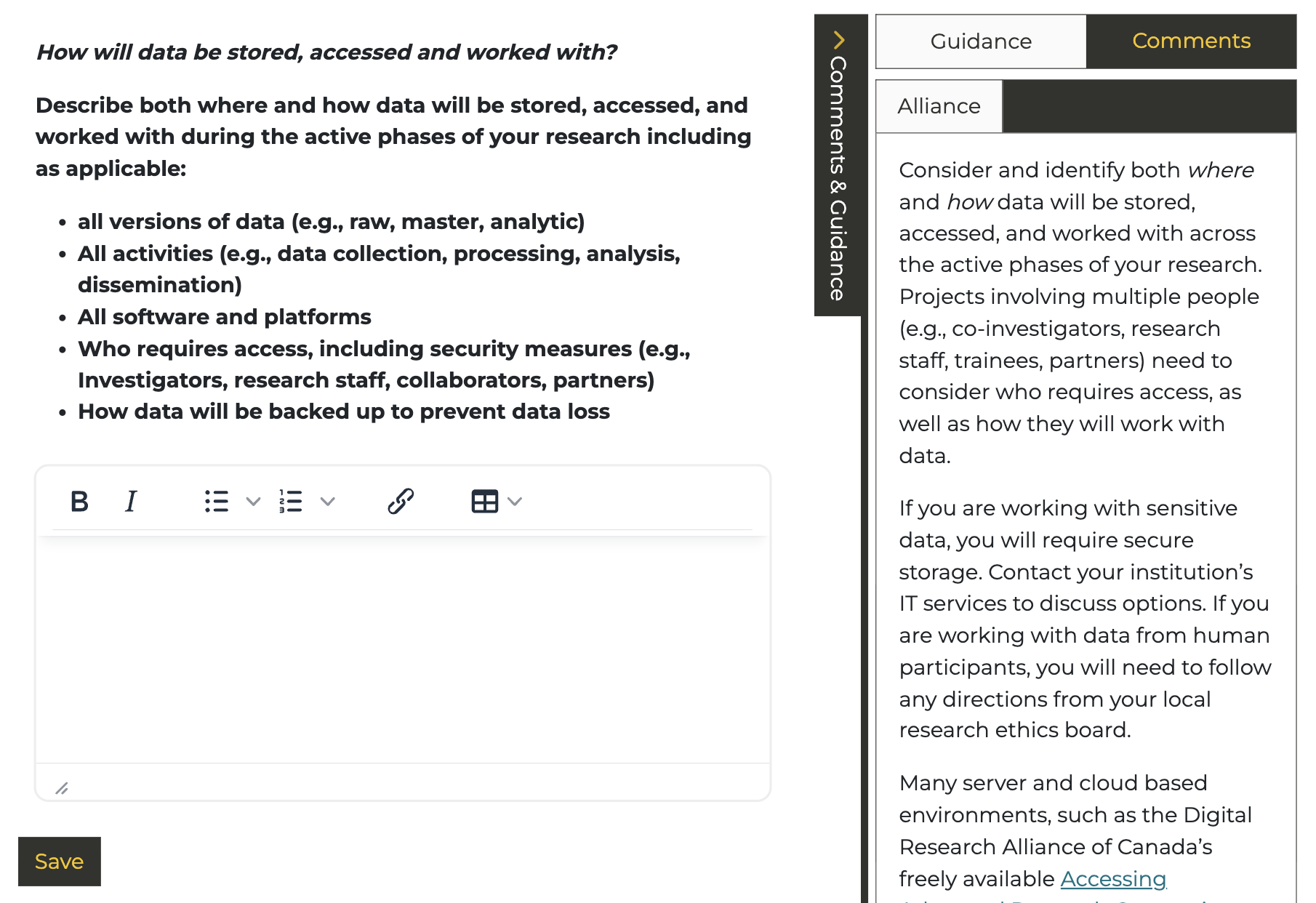
4. How will data be stored, accessed and worked with?
Describe where and how data will be stored, accessed, and worked with during the active phases of your research including as applicable:
- All versions of data (e.g., raw, source, study, analytic, de-identified)
- All activities (e.g., data collection, processing, analysis, dissemination)
- All software and platforms
- Who will have access to what data, including security measures (e.g., Investigators, research staff, collaborators, partners)
- How data will be backed up to prevent data loss
This question addresses data security and distributing access to data.
Reminder! Click “Save” once you have answered this question.
Data Storage
With educational storage resources becoming more limited, researchers are increasingly depending on local and commercial cloud-based storage solutions. This shift can create challenges related to data vulnerability and security. Selecting an appropriate storage platform involves accounting for volume, storage location, collaboration, and back-ups. Think about the specific needs of your data and key variables for selecting a data storage service including:
- Accessibility
- Storage space
- Security
- Feature set (e.g., computational analysis or collaboration elements)
Data Storage Platforms
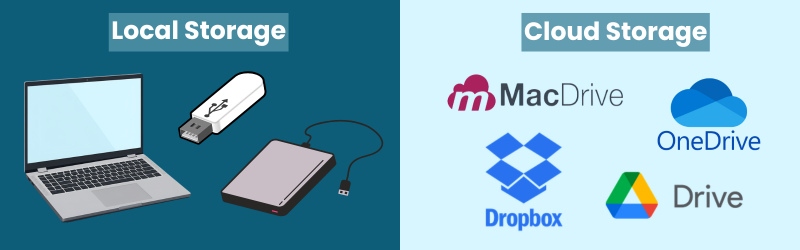
Local Storage is any storage device that is present under your control. This is typically laptops, desktop hard drives, or USB flash drives.
Learn more
It is the most common storage option. Some advantages include fast access, being easy to use, relatively cheap, and available offline. However, there is a higher chance of data loss.Cloud Storage is a storage platform usually hosted by a third party provider which is off-site and can be accessed via the internet on a device such as a computer.
Learn more
This has useful features such as automated backups, file versioning, file synchronization, and file sharing. It is also accessible from anywhere. Cloud storage is less secure due to unclear storage locations and subscription costs can be high.Network Storage include department servers or network-attached storage (NAS).
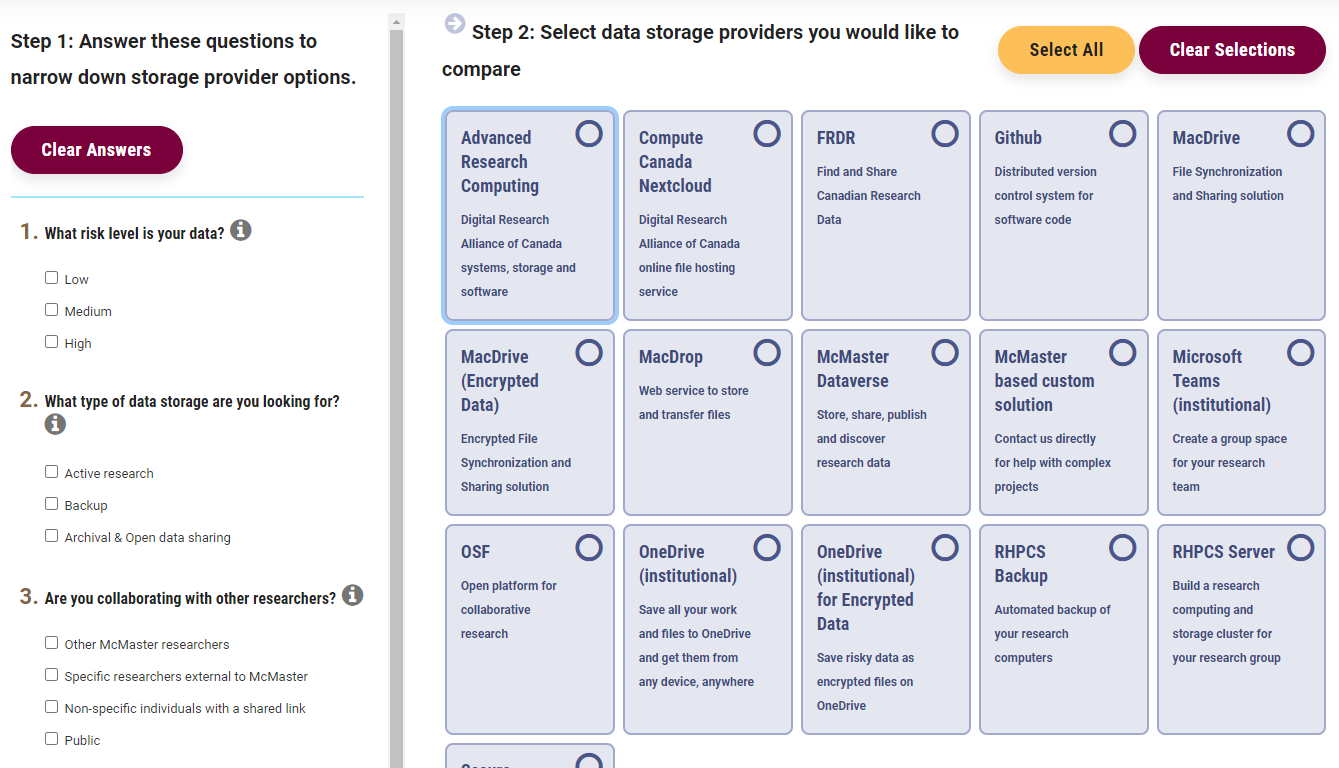
McMaster provides a research data storage finder tool online, which is an interactive tool to help you find, compare, and get access to different storage solutions depending on risk, volume, and other needs. You can access this tool at https://rdm.mcmaster.ca/finder.
Backup:
To have a good data storage plan, you need to balance security and accessibility. Data is valuable so ensure that you make backups!
Follow the 3-2-1 backup rule:
-
3 Copies of your data
-
2 Copies are on-hand (easily accessible) on different systems (internal hard drive, cloud storage, etc.)
-
1 Copy is in another location (“off-site”) from the others with a trusted service provider
Example
1 copy stored locally on hard drive for analysis
1 copy stored on cloud storage platform
1 copy stored in a different cloud storage platform or portable hard drive
If you want to learn more about data backups, check out our workshop “Strategies for Research Data Storage and Backup”.
Open the Research Data Storage Finder in a new tab.
Task : Use the Research Storage Finder to determine the best storage option.
Question 1:
You are looking for a storage provider for data that has a medium risk level, in which you store data for active research and collaborate with only McMaster researchers. You estimate the data storage needed to be approximately 500 GB. Choose the ideal storage from the two options:
Question 2:
You are looking for a storage provider for data that has a low risk level, in which you store data for backup and collaborate with researchers outside of McMaster. You estimate the data storage needed to be approximately several terabytes (TB). Choose the ideal storage from the two options:
Securing Data
In addition to having a few copies of data, we also need to protect our systems from vulnerabilities. Here are some data security basics, if you do nothing else, do these things!
 Passwords: Use a different password for each service and make them complex. Don't store them in Excel, Word, or OneNote; instead use a password manager Bitwarden.
  Update Software and Hardware: Automate updates wherever possible! Don’t put off updates—there are often important security settings.
  Multi-Factor Authentication (MFA): An extra layer of security that requires more than one code (factor) to login. Factors usually include password and security code to your phone number or generated by a linked authenticator app.
  Sensitive Data: De-identify data as soon as possible, with pseudonyms replacing names, work with de-identified data and store linking files/keys separately. Encryption should be used on internet-connected, password-protected devices.
 To learn more about general security practices such as multi-factor authentication, encryption, and password protection, go to: RDM Secure
Try this quick quiz - Try and guess which of the following practices for storing, securing, and backing up data are true or false?
Indigenous Data Governance
Managing storage with data involving Indigenous peoples looks different as you have a responsibility to actively support and work towards the collective benefit of Indigenous people.
In your data management plan, you must clearly outline who will have authority and control decisions over data. Furthermore, in partnership with the Indigenous community, contemplate over who can access data. Storage decisions are closely connected to the First Nations principles of Ownership, Control, Access, and Possession OCAP, which guide how Indigenous data should be governed.
Storage considerations vary on how the dataset was constructed.
If the research is conducted with an Indigenous community, you must design your DMP alongside the group. These decisions should align with agreements established with the community and may differ from standard institutional storage practices.
When Indigenous data are involved, considerations must still involve additional measures for storage protection. It is best to cooperate with the relevant Indigenous community and follow their guidance. For more information on Indigenous Data Governance, see the Responsibility section or review the McMaster Indigenous Research Primer.
DMP Example: Active Data Management
Here’s how this section looks like in the DMP for “People, Places, Policies and Prospects”.
Active Data Management
Storage space is anticipated to be approximately 100 GB. The data will be stored for 5 years locally, with a permanent copy held in the Scholars Portal Cape Breton University Dataverse.
The 3-2-1 backup rule will be followed for data storage and backup. All team members will upload their files to a cloud-based server located in Canada, to be identified by the project lead. Sensitive files are to be encrypted.
OneDrive is used to store, share, and work with data.
View the chart for more examples of active data management sections.
| Data Type | Storage Location | Backup Location | Size |
|---|---|---|---|
| Environmental Monitoring Data | OneDrive and synced to local disk | External hard drive + External hard drive in alternate location | Multispectral Imaging: 200 GB & Surveys: 400 KB |
| Systematic Review Data | Computer hard drive of the PI | External hard drive + Secure cloud server on OneDrive (with disaster recovery) | 50 GB |
Active Data Management Checklist
Once you have completed this section, use the rubric below to evaluate and strengthen your response. This rubric is based on the Alliance Simplified Template (Funding Application Stage) Rubric
</div>
To learn more about research data storage, view the Strategies for research data storage and backup.